Figure preparation tools
Multi Panel Figure Maker
Use the Multi Panel Figure Maker to arrange your existing images into a clean composite. Choose one to three columns, reorder panels, and export a labeled PNG without cropping the sources.
Multi Panel Figure Maker: local panel layout
Free · no account or credits · files remain in this browser
Up to 6 static PNG/JPEG/WebP files, 15 MB and 24 megapixels each, maximum edge 16,000 px; combined limit 36 megapixels.
Add images to preview the composite.
Images fit proportionally in 4:3 cells with white padding; no cropping or recoloring. PNG export rasterizes the layout and does not preserve editable layers or embedded profiles. Review source detail, labels and print resolution; no scale-bar or data analysis is performed.
SEE ACADRAW IN ACTION
Science drawing, from idea to editable figure
Create a science illustration with AI. Refine drawings, build editable diagrams, and convert images to SVG.
Demos play as you scroll into view. Choose a feature to explore.
Trusted by students & researchers from 480+ universities
A global community spanning 60+ countries and regions, from QS top-ranked universities to leading research institutes























University logos belong to their respective institutions and are shown solely to illustrate our user community. They do not imply any partnership or endorsement.
Tool overview
Explore the use cases, workflow, and key things to know.
Free local tool
No account or credits are required for this tool.
Useful output
Download a composite PNG.
Clear scope
Your selected files are read in the browser; no server upload.
Concept reference
One composite, distinct panels and a clear reading order
The Multi Panel Figure Maker keeps each source image intact inside a fixed display cell. White padding preserves the aspect ratio; A–F labels identify panels without drawing over their scientific content.
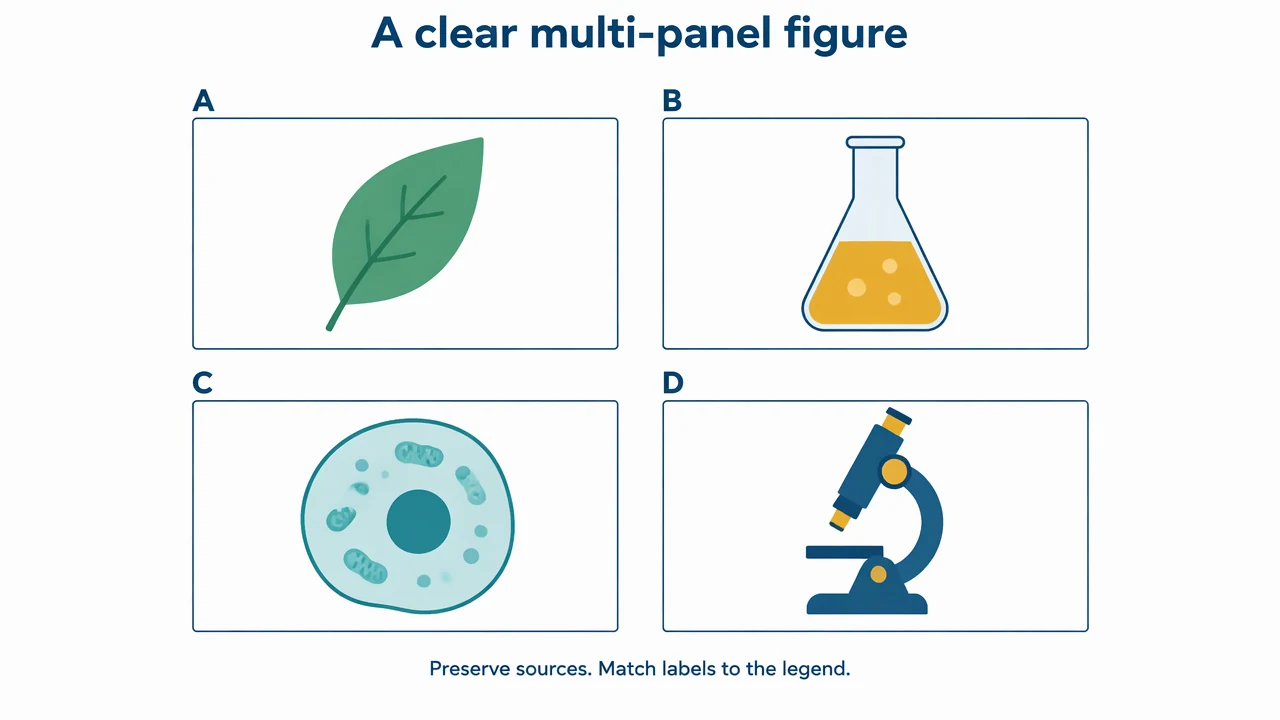
Multi Panel Figure Maker: reference key
Use the reference and definitions together. On a small screen, scroll the table horizontally.
| Element | Meaning | Review check |
|---|---|---|
| Source panel | An image you have the right to use | Retain original exports and do not substitute invented results. |
| Cell width | Output pixels per layout cell | A larger cell cannot restore missing source detail. |
| Column count | One, two or three columns | Choose a reading order that follows the explanation. |
| Panel label | A–F in upload order | Reordering updates the labels; keep the legend synchronized. |
| PNG export | White composite with contained images | Inspect the final pixels and physical print size. |
Multi Panel Figure Maker: understand the result
Use the Multi Panel Figure Maker to arrange your existing images into a clean composite. Choose one to three columns, reorder panels, and export a labeled PNG without cropping the sources.
Arrange the argument before the panels
The Multi Panel Figure Maker presents panels in row-major order. Start with the image that establishes context and follow with the evidence or explanation needed next. Moving a panel updates its letter, so revise the legend to match the final arrangement.
Preserve content and aspect ratio
Each image is scaled proportionally into a four-to-three cell, with white padding where necessary. The tool does not crop or recolor the source. Review scale bars and labels after scaling because preserving geometry does not guarantee small text remains readable.
Check the exported file at print width
The Multi Panel Figure Maker exports the composed pixel canvas as PNG. The output size is shown below the preview. Use those dimensions in the resolution calculator; cell size is an output setting, not a promise that low-resolution sources gain detail.
Common mistakes to avoid
Using generated data as a real panel
Only arrange authentic source results or clearly identified conceptual illustrations.
Relying on a label without a matching legend
After reordering, check that every letter still describes the correct source.
Assuming PNG export meets every journal rule
Some journals require TIFF, vector text or other formats; check and prepare the requested final export separately.
Multi Panel Figure Maker: use the tool
This tool runs locally without an account or credits. Review the output before printing, teaching or submission.
Use the controls above; no AI generation mode is needed for the calculation or layout.
- 1
Upload existing panels
Select images for the Multi Panel Figure Maker.
- 2
Set the arrangement
Choose columns and cell width, then move panels into the intended order.
- 3
Export and inspect
Download PNG, compare labels with the legend, and check final PPI.
Worked example for the multi panel figure maker
For a four-panel figure, arrange context in A, method in B, result in C and interpretation in D. Use the original source files; do not create or alter experimental evidence to fill an empty panel.
Open Multi Panel Figure MakerMulti Panel Figure Maker: common questions
What does the Multi Panel Figure Maker support?
Up to six static PNG, JPEG or WebP images, arranged in one to three columns with optional A–F labels.
Does the Multi Panel Figure Maker crop panels?
No. It scales proportionally inside fixed cells and uses white padding.
Are the images uploaded to a server?
No. The panel composition and PNG download happen in your browser.
Are TIFF, PDF, SVG and arbitrary annotations supported?
No. This version exports PNG and supports labels and reordering. It does not add scale bars, free-form annotations or editable vector text.
Sources and editorial notes
Prepared by the AcaDraw product team. Source and diagram check: . This is a simplified educational model; independent expert review has not been completed. AI-generated drafts need checking against reliable references.
Read the multi panel figure maker guide
The Multi Panel Figure Maker keeps each source image intact inside a fixed display cell. White padding preserves the aspect ratio; A–F labels identify panels without drawing over their scientific content.
Multi-Panel Figures: Consistent Layouts, Labels, and Export Checks