Teaching templates
Place Value Chart Maker
The Place Value Chart Maker separates digits into six whole-number positions and three decimal positions. Enter a nonnegative number or choose a blank teaching chart, then download SVG.
Place Value Chart Maker: exact teaching grid
Free · no account or credits · exact local number layout
| Hundred thousands | Ten thousands | Thousands | Hundreds | Tens | Ones | Tenths | Hundredths | Thousandths |
|---|---|---|---|---|---|---|---|---|
| 0 | 0 | 1 | 2 | 3 | 4 | 5 | 6 | 0 |
Scroll inside the preview on small screens. The SVG download includes the complete chart.
The worksheet text is calculated directly, not generated by an image model. Open SVG in a browser or vector editor to print; review scale and margins in the print dialog.
SEE ACADRAW IN ACTION
Science drawing, from idea to editable figure
Create a science illustration with AI. Refine drawings, build editable diagrams, and convert images to SVG.
Demos play as you scroll into view. Choose a feature to explore.
Trusted by students & researchers from 480+ universities
A global community spanning 60+ countries and regions, from QS top-ranked universities to leading research institutes























University logos belong to their respective institutions and are shown solely to illustrate our user community. They do not imply any partnership or endorsement.
Tool overview
Explore the use cases, workflow, and key things to know.
Free local tool
No account or credits are required for this tool.
Useful output
Download a printable SVG teaching template.
Clear scope
Exact number layout; the separate editorial illustration uses AI.
Concept reference
Digit position determines value
The Place Value Chart Maker aligns each digit with its place. Whole-number positions stop at ones, and fractional positions begin with tenths. The AI reference explains this distinction; the downloadable chart uses exact text.
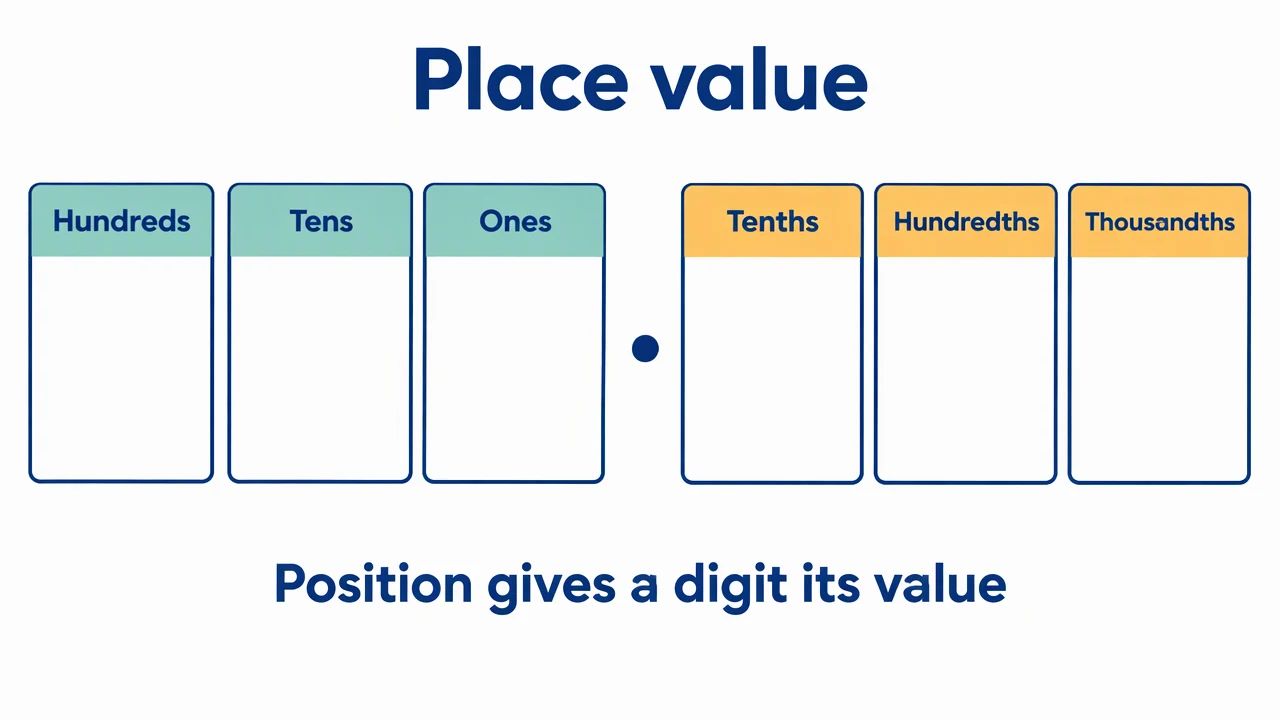
Place Value Chart Maker: reference key
Use the reference and definitions together. On a small screen, scroll the table horizontally.
| Element | Meaning | Review check |
|---|---|---|
| Hundred thousands to ones | Six whole-number positions | The whole part is padded with zeros on the left. |
| Tenths | First digit after the decimal point | One tenth is one of ten equal parts of one. |
| Hundredths | Second digit after the decimal point | Trailing missing decimal digits are displayed as zero. |
| Thousandths | Third digit after the decimal point | At most three fractional digits are accepted; extra digits are not rounded. |
| Blank template | Nine empty digit cells | The place headings remain available for an exercise. |
Place Value Chart Maker: understand the result
The Place Value Chart Maker separates digits into six whole-number positions and three decimal positions. Enter a nonnegative number or choose a blank teaching chart, then download SVG.
Read the whole and fractional parts separately
The Place Value Chart Maker anchors the whole part at ones and the decimal part at tenths. That alignment matters more than the visual length of the entered string. A digit has a different value when it moves to another column.
Explain the role of zero
Empty leading places are shown as zero, and missing trailing decimal places are padded with zero. The Place Value Chart Maker therefore shows 12.3 as 000012.300 across the nine positions. These zeros explain the fixed template; they do not change the numeric value.
Use a fixed template without silent rounding
Enter up to six whole-number digits and three fractional digits using a period. Negative values, scientific notation, separators and extra precision are rejected. The tool does not silently round a number to fit the chart.
Common mistakes to avoid
Confusing hundreds and hundredths
Hundreds are left of tens; hundredths are the second position after the decimal point.
Losing a zero inside a number
The zero in 204 keeps the tens place empty; removing it would make a different number.
Assuming unsupported precision is rounded
The tool asks for a valid input instead of changing extra decimal digits.
Place Value Chart Maker: use the tool
This tool runs locally without an account or credits. Review the output before printing, teaching or submission.
Use the controls above; no AI generation mode is needed for the calculation or layout.
- 1
Enter a number
Type a nonnegative number into the Place Value Chart Maker.
- 2
Read the columns
Check whole-number and fractional positions, including zeros.
- 3
Save a teaching copy
Download the filled or blank SVG chart for your exercise.
Worked example for the place value chart maker
Enter 204.03: 2 is in hundreds, 0 in tens, 4 in ones, 0 in tenths, 3 in hundredths and 0 in thousandths. Each position is retained even where its digit is zero.
Open Place Value Chart MakerPlace Value Chart Maker: common questions
What range does the Place Value Chart Maker support?
Nonnegative decimal notation with one to six whole digits and up to three fractional digits, such as 0, 204 or 1234.56.
Does the Place Value Chart Maker round numbers?
No. Inputs with more than three fractional digits are rejected.
Can I print a blank place value chart?
Yes. Blank mode keeps all nine place headings and removes the digits; download the SVG.
Are the digits generated by AI?
No. The chart aligns the literal input digits by fixed rules. Only the separate editorial reference illustration is AI-generated.
Sources and editorial notes
Prepared by the AcaDraw product team. Source and diagram check: . This is a simplified educational model; independent expert review has not been completed. AI-generated drafts need checking against reliable references.
Read the place value chart maker guide
The Place Value Chart Maker aligns each digit with its place. Whole-number positions stop at ones, and fractional positions begin with tenths. The AI reference explains this distinction; the downloadable chart uses exact text.
Place Value Charts: Whole Numbers, Decimals, and the Role of Zero