Teaching templates
Hundreds Chart Maker
The Hundreds Chart Maker builds an exact 100-cell teaching grid. Start with 1–100, change the first number or step, highlight multiples, or create a blank worksheet for practice.
Hundreds Chart Maker: exact teaching grid
Free · no account or credits · exact local number layout
| 1 | 2 | 3 | 4 | 5 | 6 | 7 | 8 | 9 | 10 |
| 11 | 12 | 13 | 14 | 15 | 16 | 17 | 18 | 19 | 20 |
| 21 | 22 | 23 | 24 | 25 | 26 | 27 | 28 | 29 | 30 |
| 31 | 32 | 33 | 34 | 35 | 36 | 37 | 38 | 39 | 40 |
| 41 | 42 | 43 | 44 | 45 | 46 | 47 | 48 | 49 | 50 |
| 51 | 52 | 53 | 54 | 55 | 56 | 57 | 58 | 59 | 60 |
| 61 | 62 | 63 | 64 | 65 | 66 | 67 | 68 | 69 | 70 |
| 71 | 72 | 73 | 74 | 75 | 76 | 77 | 78 | 79 | 80 |
| 81 | 82 | 83 | 84 | 85 | 86 | 87 | 88 | 89 | 90 |
| 91 | 92 | 93 | 94 | 95 | 96 | 97 | 98 | 99 | 100 |
Scroll inside the preview on small screens. The SVG download includes the complete chart.
The worksheet text is calculated directly, not generated by an image model. Open SVG in a browser or vector editor to print; review scale and margins in the print dialog.
SEE ACADRAW IN ACTION
Science drawing, from idea to editable figure
Create a science illustration with AI. Refine drawings, build editable diagrams, and convert images to SVG.
Demos play as you scroll into view. Choose a feature to explore.
Trusted by students & researchers from 480+ universities
A global community spanning 60+ countries and regions, from QS top-ranked universities to leading research institutes























University logos belong to their respective institutions and are shown solely to illustrate our user community. They do not imply any partnership or endorsement.
Tool overview
Explore the use cases, workflow, and key things to know.
Free local tool
No account or credits are required for this tool.
Useful output
Download a printable SVG teaching template.
Clear scope
Exact number layout; the separate editorial illustration uses AI.
Concept reference
A counting grid as a reusable teaching scaffold
The Hundreds Chart Maker generates the actual numbers deterministically. The AI-created reference below is a conceptual teaching illustration; use the downloadable grid above for accurate classroom worksheets.
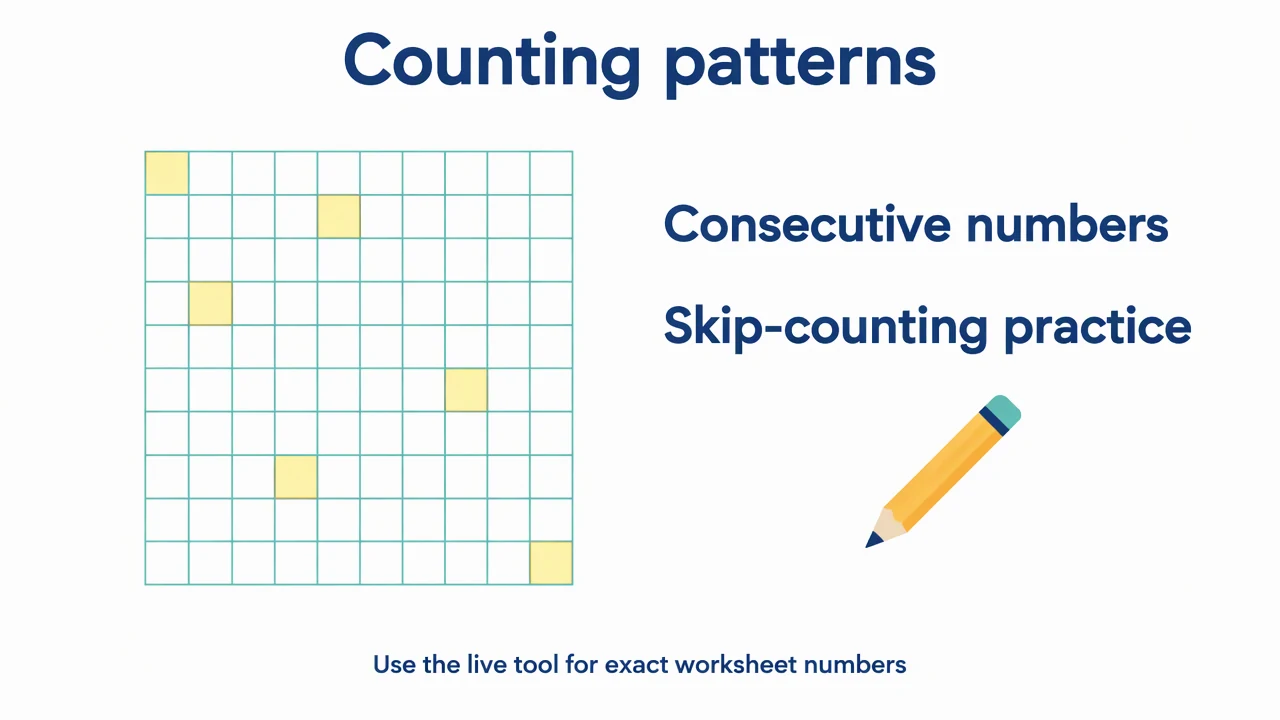
Hundreds Chart Maker: reference key
Use the reference and definitions together. On a small screen, scroll the table horizontally.
| Element | Meaning | Review check |
|---|---|---|
| Start | First cell in the grid | The default is 1; zero-based ranges are also possible. |
| Step | Increment between adjacent cells | A step of 1 produces consecutive integers. |
| Row change | Ten cells per row | Moving down one row adds ten steps. |
| Highlight | Multiples of a chosen integer | A yellow cell means the value is divisible by the selected number. |
| Blank mode | Numbers hidden | The grid stays available for a fill-in exercise; optional highlighting remains. |
Hundreds Chart Maker: understand the result
The Hundreds Chart Maker builds an exact 100-cell teaching grid. Start with 1–100, change the first number or step, highlight multiples, or create a blank worksheet for practice.
Use a stable row and column pattern
The Hundreds Chart Maker always builds ten rows of ten cells. With a start of 1 and a step of 1, the first row ends at 10 and the next begins at 11. Moving down one row adds 10; moving right one cell adds 1.
Make skip counting explicit
Choose a highlight factor to mark values divisible by that number. The Hundreds Chart Maker can also change the step itself. These are different activities: highlighting multiples preserves the surrounding sequence, while a larger step changes every value.
Prepare a worksheet with exact text
Download the grid as SVG for sharp text at different print sizes. Blank mode hides the numbers, so students can fill them in. If highlights remain enabled, those colored cells act as clues; choose no highlighting for a fully blank exercise.
Common mistakes to avoid
Using an AI image as an answer key
A generated illustration can contain missing or repeated numbers. Use the exact grid from the tool for worksheets.
Confusing a highlight with a step
Highlighting multiples of five does not change the sequence into 5, 10, 15 and so on.
Changing the range without explaining it
A 0–99 chart and a 1–100 chart organize decade boundaries differently.
Hundreds Chart Maker: use the tool
This tool runs locally without an account or credits. Review the output before printing, teaching or submission.
Use the controls above; no AI generation mode is needed for the calculation or layout.
- 1
Choose the sequence
Set the start and step in the Hundreds Chart Maker.
- 2
Choose the exercise
Show numbers, hide them, or highlight a multiple.
- 3
Save the grid
Download SVG and review your printer settings before classroom use.
Worked example for the hundreds chart maker
Start 1, step 1 gives 1–100. Highlight 5 to mark multiples of five without changing the sequence. For a 0–99 chart, change only the starting number to 0.
Open Hundreds Chart MakerHundreds Chart Maker: common questions
Can the Hundreds Chart Maker create 1–100?
Yes. The default start of 1 and step of 1 produces exactly 1–100.
Can the Hundreds Chart Maker create 0–99 or skip counting?
Yes. Choose start 0 for 0–99, or change the step from 1 to an integer up to 10.
Are the worksheet numbers AI-generated?
No. The worksheet numbers are calculated directly. Only the separate editorial reference image uses AI.
Can I download a blank chart?
Yes. Turn on blank mode and download SVG. Choose no highlighting if you want an unmarked grid.
Sources and editorial notes
Prepared by the AcaDraw product team. Source and diagram check: . This is a simplified educational model; independent expert review has not been completed. AI-generated drafts need checking against reliable references.
Read the hundreds chart maker guide
The Hundreds Chart Maker generates the actual numbers deterministically. The AI-created reference below is a conceptual teaching illustration; use the downloadable grid above for accurate classroom worksheets.
Hundreds Charts: Counting Patterns, Skip Counting, and Blank Practice