SWOT Analysis Generator
Use a SWOT analysis generator to separate internal strengths and weaknesses from external opportunities and threats. Keep each statement specific, evidence-backed and tied to a decision; the matrix organizes thinking but does not validate assumptions.
SEE ACADRAW IN ACTION
Science drawing, from idea to editable figure
Create a science illustration with AI. Refine drawings, build editable diagrams, and convert images to SVG.
Demos play as you scroll into view. Choose a feature to explore.
Trusted by students & researchers from 480+ universities
A global community spanning 60+ countries and regions, from QS top-ranked universities to leading research institutes
























University logos belong to their respective institutions and are shown solely to illustrate our user community. They do not imply any partnership or endorsement.
Tool overview
Explore the use cases, workflow, and key things to know.
Separate internal and external
Strengths and weaknesses describe the subject; opportunities and threats describe the environment.
Write actionable statements
Each bullet should be specific enough to influence a choice or next step.
Attach evidence
A matrix is a hypothesis list until its claims are checked against data or experience.
Concept reference
SWOT analysis reference: four quadrants for a decision
This four-quadrant matrix separates internal factors from external conditions. Placeholder bullets illustrate the layout only; a useful SWOT analysis replaces them with evidence, a defined subject and a specific decision.
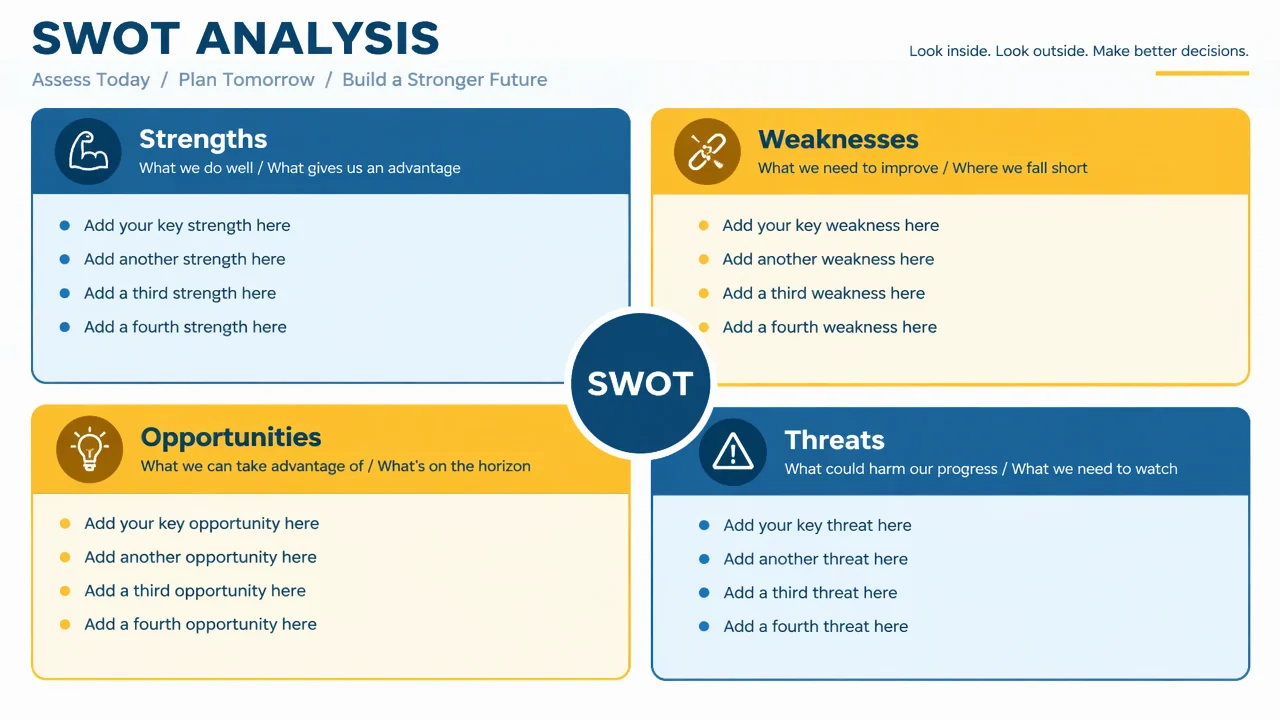
SWOT quadrant guide
Use the reference and definitions together. On a small screen, scroll the table horizontally.
| Quadrant | Question | Drawing check |
|---|---|---|
| Strengths | What internal capabilities or assets help the subject? | Use concrete capabilities rather than vague praise. |
| Weaknesses | What internal limits or gaps reduce performance? | Describe a condition that can be improved or managed. |
| Opportunities | What external change could create value or room to act? | Name the trend, opening or partner instead of a wish. |
| Threats | What external condition could create risk or pressure? | Distinguish a real external risk from an internal weakness. |
| Priority links | Which factors change the decision when combined? | Add a short action list after the four quadrants rather than hiding it in a bullet. |
Move from SWOT list to decision
A strong SWOT matrix is a starting point for prioritization. After listing factors, connect them to choices, owners, evidence and a review date.
Use a defined subject
A company, project, lesson or product should have one clear boundary.
Distinguish factor types
Internal control and external conditions call for different responses.
Add the next action
Translate high-impact combinations into decisions, tests or questions to investigate.
Common SWOT analysis mistakes
Vague bullets
“Good team” or “competition” is too broad to guide a decision.
Misclassified factors
A lack of skill is internal; a new competitor is external.
No prioritization
Four balanced quadrants can hide which factors actually matter most.
Create your own swot analysis diagram
Reading the reference is free. Generating a new draft requires an account and available credits. See current pricing.
Choose Science Drawing for an illustrated draft, or Editable Diagram for separate shapes and labels. Review all definitions, labels and connections before sharing.
- 1
Define the decision
State what choice the SWOT should inform and by when.
- 2
Collect factors
Add specific internal and external statements with evidence notes.
- 3
Prioritize actions
Select the combinations that change the decision and assign follow-up work.
A prompt you can adapt
Create a clean, editable SWOT analysis matrix for a fictional science education product. Use four quadrants labeled Strengths, Weaknesses, Opportunities and Threats, add concise placeholder prompts, separate internal from external factors, and include a small next-actions area.
Use this prompt in the generatorSWOT Analysis diagram FAQ
What does SWOT stand for?
Strengths, Weaknesses, Opportunities and Threats.
Which quadrants are internal?
Strengths and weaknesses are internal to the subject; opportunities and threats are external.
Does a SWOT generator provide market research?
No. It organizes the assumptions and evidence you provide; it does not independently validate them.
Can I use SWOT for a project or lesson?
Yes. Define the subject and decision clearly so the factors remain useful.
Can I edit the matrix?
Yes. Editable Diagram mode lets you revise quadrant text, add evidence and rearrange priorities.
Sources and editorial notes
Prepared by the AcaDraw product team. Source and diagram check: . This is a simplified educational model; independent expert review has not been completed. AI-generated drafts need checking against reliable references.
Create a swot analysis diagram for your lesson
Choose the scope, generate a draft, then review labels and connections before sharing.
SWOT Analysis Generator: From Four Quadrants to Next Actions