Scientific Icon Generator
Use the scientific icon generator to create original research and teaching symbols. Define the subject, viewpoint and visual style, then review clarity and consistency at the intended display size.
SEE ACADRAW IN ACTION
Science drawing, from idea to editable figure
Create a science illustration with AI. Refine drawings, build editable diagrams, and convert images to SVG.
Demos play as you scroll into view. Choose a feature to explore.
Trusted by students & researchers from 480+ universities
A global community spanning 60+ countries and regions, from QS top-ranked universities to leading research institutes






















University logos belong to their respective institutions and are shown solely to illustrate our user community. They do not imply any partnership or endorsement.
Tool overview
Explore the use cases, workflow, and key things to know.
Consistent family
Use shared viewpoint, stroke and palette rules.
Small-size clarity
Review silhouette and detail where the icon will appear.
Explicit meaning
Pair symbols with labels when the concept is ambiguous.
Concept reference
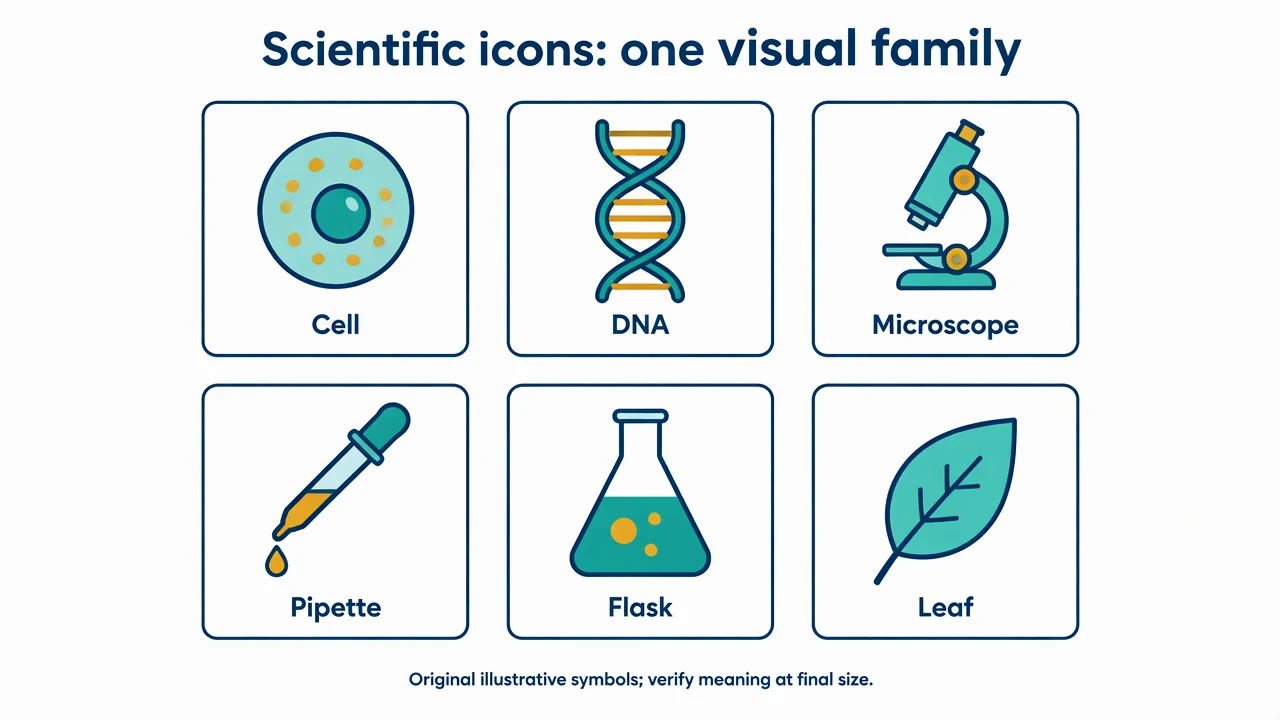
Scientific icon family: shared visual rules
An original set of six symbols uses the same outline weight, palette and viewing convention. The set is illustrative, with labels for meaning rather than a claim of standard notation.
Scientific Icon Generator: reference key
Use the reference and definitions together. On a small screen, scroll the table horizontally.
| Element | Meaning | Review check |
|---|---|---|
| Subject | The object or concept represented | Prefer one recognizable meaning per icon. |
| Viewpoint | The angle from which the subject is shown | Keep the family consistent unless a different view teaches something. |
| Stroke | The line weight and corner treatment | Compare at the final display size. |
| Detail level | The amount of structure visible | Remove details that become noise when reduced. |
| Visual weight | How prominent the icon appears | Balance occupied area, contrast and silhouette. |
| Label | Text identifying the intended meaning | Do not rely on color alone to distinguish concepts. |
Scientific Icon Generator: plan the visual
Use the scientific icon generator to create original research and teaching symbols. Define the subject, viewpoint and visual style, then review clarity and consistency at the intended display size.
Specify a family rather than isolated images
One microscope can look polished while conflicting with every symbol around it. Give the scientific icon generator shared rules for viewpoint, line weight, palette and detail. Generate related symbols as a set when visual coherence matters.
Inspect at the intended size
A detailed icon may become an indistinct patch in a small diagram. Review silhouette and occupied area after reducing it to the actual presentation size. A square canvas is a useful starting frame, but equal canvas dimensions do not guarantee equal perceived weight.
Keep meaning explicit
A familiar silhouette can still be ambiguous between a sample, a cell type and an instrument. Add text where the distinction matters and avoid using a decorative icon as a standardized hazard symbol. Check scientific features that are central to the intended meaning.
Common mistakes to avoid
Scaling a detailed illustration into an icon
Small details merge and compete. Simplify the prompt rather than merely shrinking a complex image.
Using color as the only identifier
Pair color with labels or shape differences so the meaning remains available without color perception.
Assuming native SVG output
Science Drawing produces an image draft. Use the separate existing SVG conversion workflow when needed and review the converted paths.
Scientific Icon Generator: from brief to draft
Reading the reference is free. Generating a new draft requires an account and available credits. See current pricing.
Choose Science Drawing for an illustrated draft, or Editable Diagram for separate shapes and labels. Review all definitions, labels and connections before sharing.
- 1
Write the style rules
Name the subject, viewpoint, palette, outline weight and intended size.
- 2
Create a square draft
Use the scientific icon generator and compare the result with the rest of the icon family.
- 3
Review meaning and exports
Check small-size clarity and use the existing SVG conversion workflow separately if required.
Example brief for the scientific icon generator
Create one original scientific icon of a microscope, square 1:1 canvas. Clean navy outline, teal flat fill and small amber accents, simple consistent three-quarter view, generous padding on white. Keep the silhouette readable at small display sizes. No text, logos, watermark or safety-symbol imitation.
Use this prompt in the generatorScientific Icon Generator: common questions
What does the scientific icon generator create?
It creates original illustrative icon drafts from your subject and style description.
Can I create a matching icon set?
Yes. Specify the same visual rules and review viewpoint, stroke and visual weight across the set.
Does it generate native SVG paths directly?
The image workflow produces an image. The existing SVG conversion tool is a separate step and requires review.
Can these replace standard safety symbols?
No. Use the required standardized symbols for regulated safety communication; these are illustrative design assets.
Sources and editorial notes
Prepared by the AcaDraw product team. Source and diagram check: . This is a simplified educational model; independent expert review has not been completed. AI-generated drafts need checking against reliable references.
Explore the scientific icon guide
An original set of six symbols uses the same outline weight, palette and viewing convention. The set is illustrative, with labels for meaning rather than a claim of standard notation.
Scientific Icons: Consistent Style, Scale, and Meaning